
WPForms Lite is easy to start with. Then you go to look at your form entries and find there aren’t any. You try to add a file upload, and it’s locked. You want a field to appear only when someone picks “Yes,” and that needs a paid license too. If you’ve been searching for a WPForms Lite alternative, that’s usually how it starts.
In this guide we compare WPForms Lite with Custom Contact Forms, the free form plugin we make, feature by feature. We’ll be honest about where WPForms is the better choice, and show you how to switch in a few minutes if Custom Contact Forms fits better.
Where WPForms Lite stops
We installed the current version of WPForms Lite (2.0.2.2) and checked what a free user can actually use. Here’s what’s held back for paid plans:
- Entries aren’t saved. WPForms Lite emails you each submission but doesn’t store it in WordPress. If an email goes missing, so does the message. We covered this in detail in WPForms Lite doesn’t save entries.
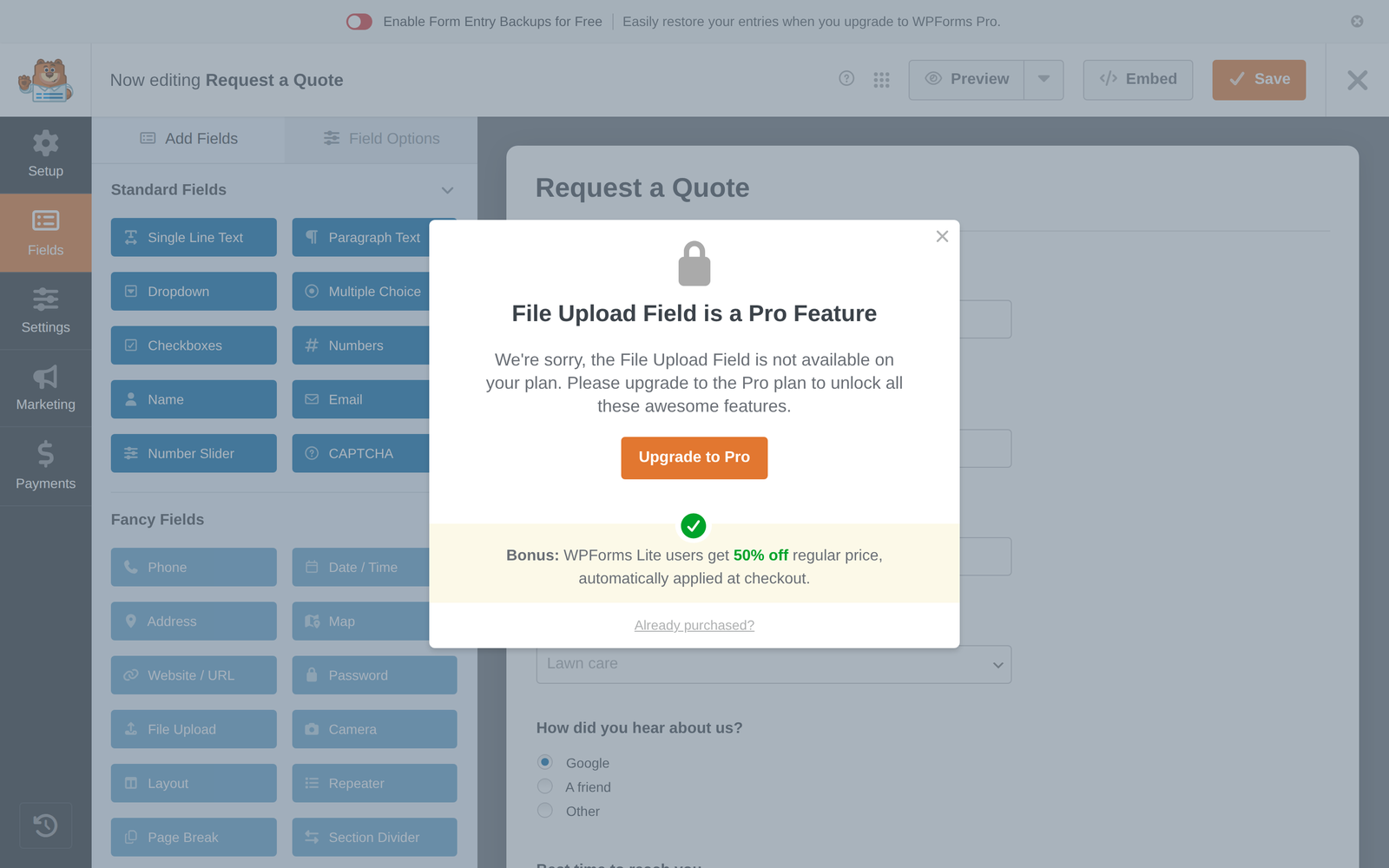
- Most “Fancy Fields” are locked, including Phone, Date / Time, Address, Website / URL, File Upload, Signature, Hidden Field, HTML, Section Divider and Page Break. Clicking one opens an upgrade message.
- Conditional logic needs a paid license. WPForms’ own Lite vs Pro page calls it one of the top reasons to upgrade.
- Mailchimp isn’t included. The Marketing tab in Lite offers Constant Contact and Uncanny Automator. Mailchimp is listed under WPForms Pro.
- Webhooks need the Elite license, WPForms’ top plan, according to WPForms.
- Payments carry a 3% fee. Lite can take Stripe, PayPal and Square payments, but adds 3% to each one on top of the processor’s own fees.
WPForms Lite vs Custom Contact Forms
Here’s how the two free plugins compare on the features people most often need:
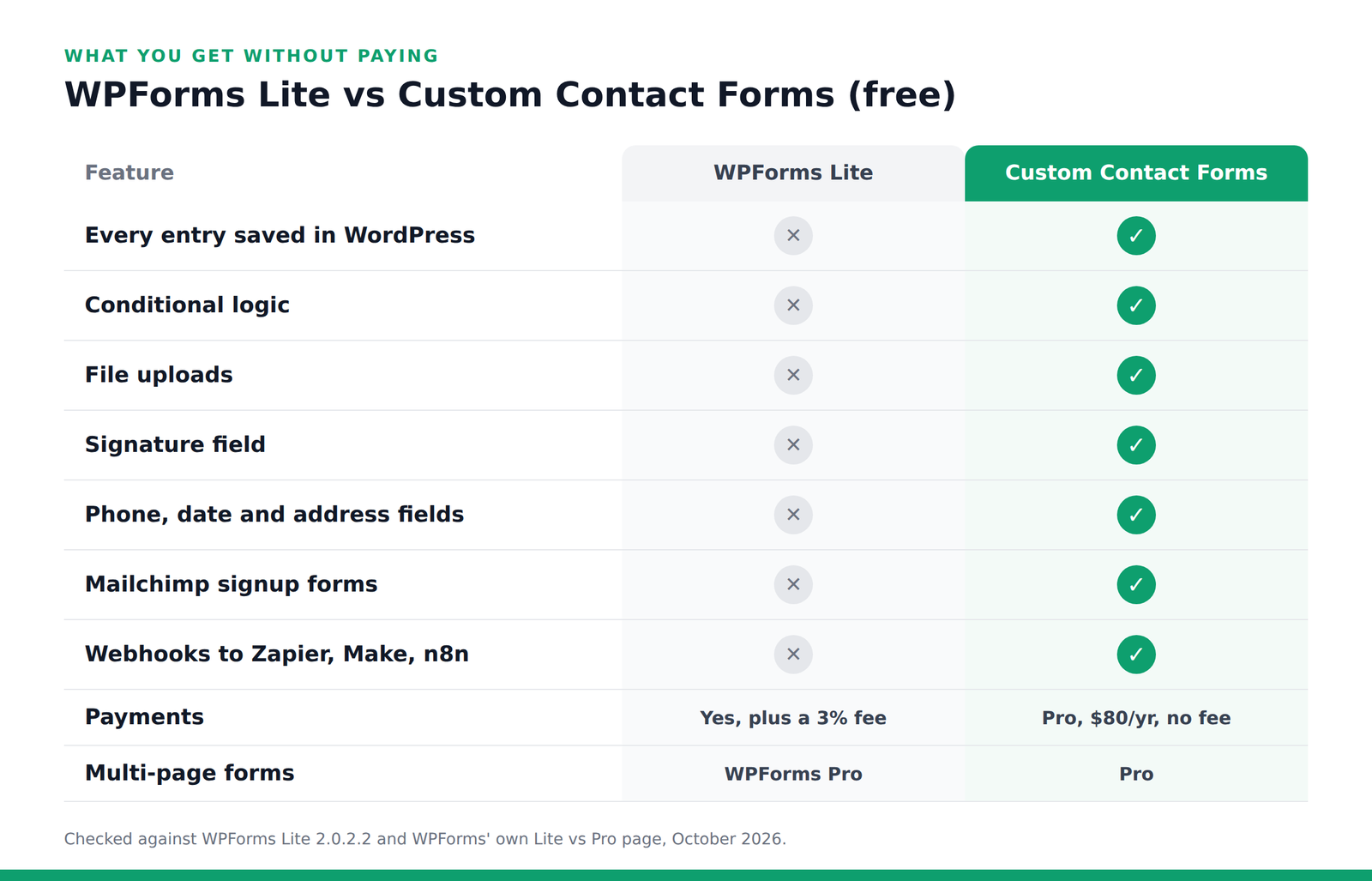
The short version: if you need to keep your entries, show fields based on answers, collect files or signatures, or send signups to Mailchimp, Custom Contact Forms does it free. Both plugins keep multi-page forms for their paid versions.
What Custom Contact Forms includes free
- Every entry saved in your WordPress database, with CSV export, so nothing is lost if an email goes astray.
- A Forms dashboard showing entries, views, conversion rate and blocked spam for each form, plus an optional weekly summary email.
- Conditional logic to show or hide fields and sections based on answers.
- File uploads, a signature field, and phone, date, address, website, hidden and HTML fields.
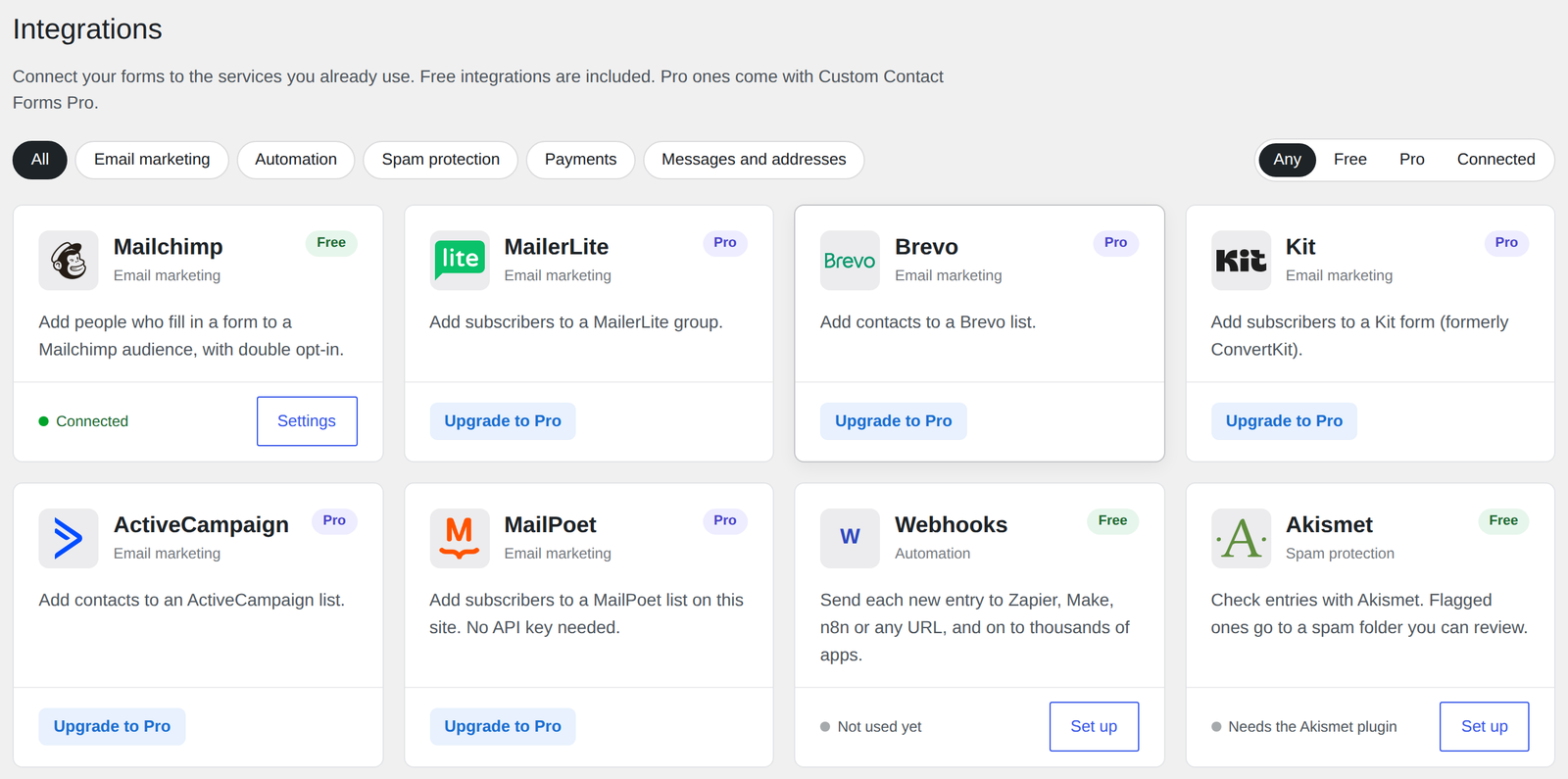
- Mailchimp signup forms with double opt-in, and a different audience for each form.
- Webhooks that send each new entry to Zapier, Make, n8n or any app that accepts them.
- Spam protection: Cloudflare Turnstile, hCaptcha, reCAPTCHA, a honeypot and time trap, and Akismet with a spam folder, so a real message caught by mistake is never thrown away.
When WPForms is the better choice
Custom Contact Forms isn’t the right fit for everyone. Stay with WPForms if:
- You want to take payments without buying anything. WPForms Lite can take payments for free, with its 3% fee. Our payment fields are part of Custom Contact Forms Pro.
- You use Constant Contact, which WPForms Lite connects to and our free plugin doesn’t.
- You already pay for WPForms Pro and rely on its addons. Switching only makes sense if you’re paying for features you could get free.
- You want the most widely used option, with the biggest template library and the most tutorials around. WPForms is far larger than we are.
How to switch from WPForms Lite
Step 1: Install Custom Contact Forms
Go to Plugins → Add New, search for Custom Contact Forms, then install and activate it. Keep WPForms active for now. Nothing changes on your site until you swap the form.
Step 2: Import your WPForms forms
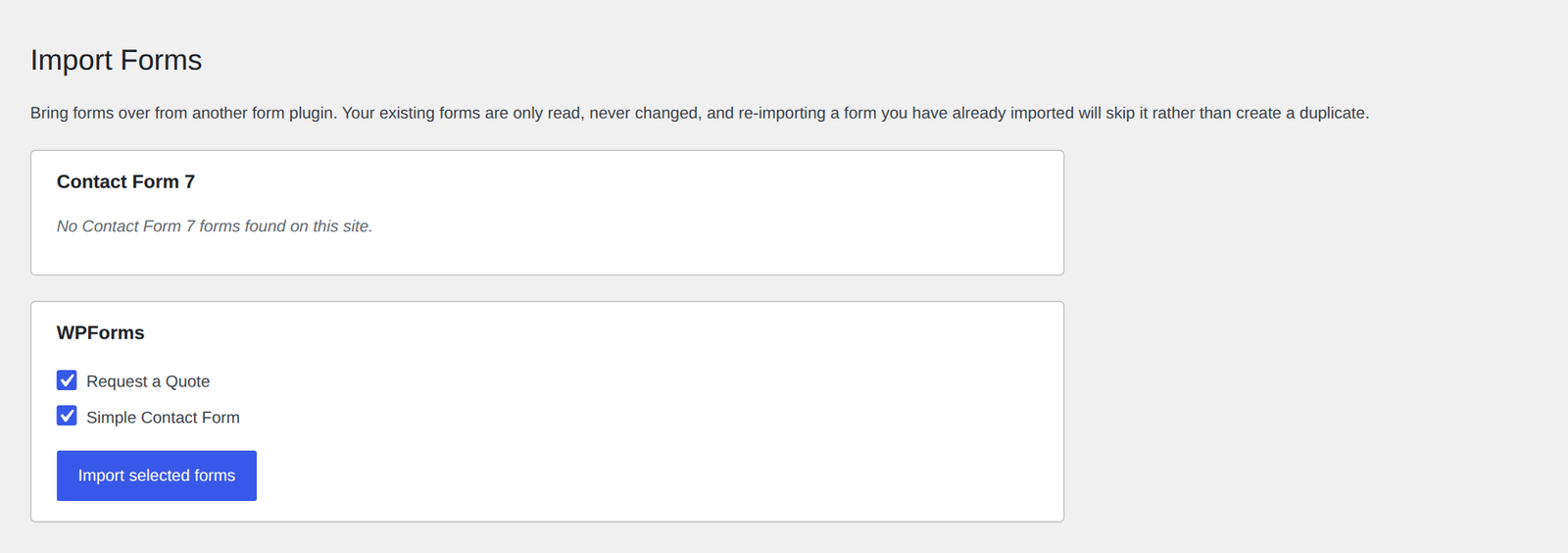
Go to Forms → Import. Your WPForms forms are listed. Tick the ones you want and click Import selected forms. Your fields, labels, choices, required settings, notification email and thank-you message come across. Your WPForms forms are only read, never changed.
The import report lists anything it couldn’t carry over, such as page breaks or payment fields, so you know exactly what to check.
Step 3: Swap the form on your page
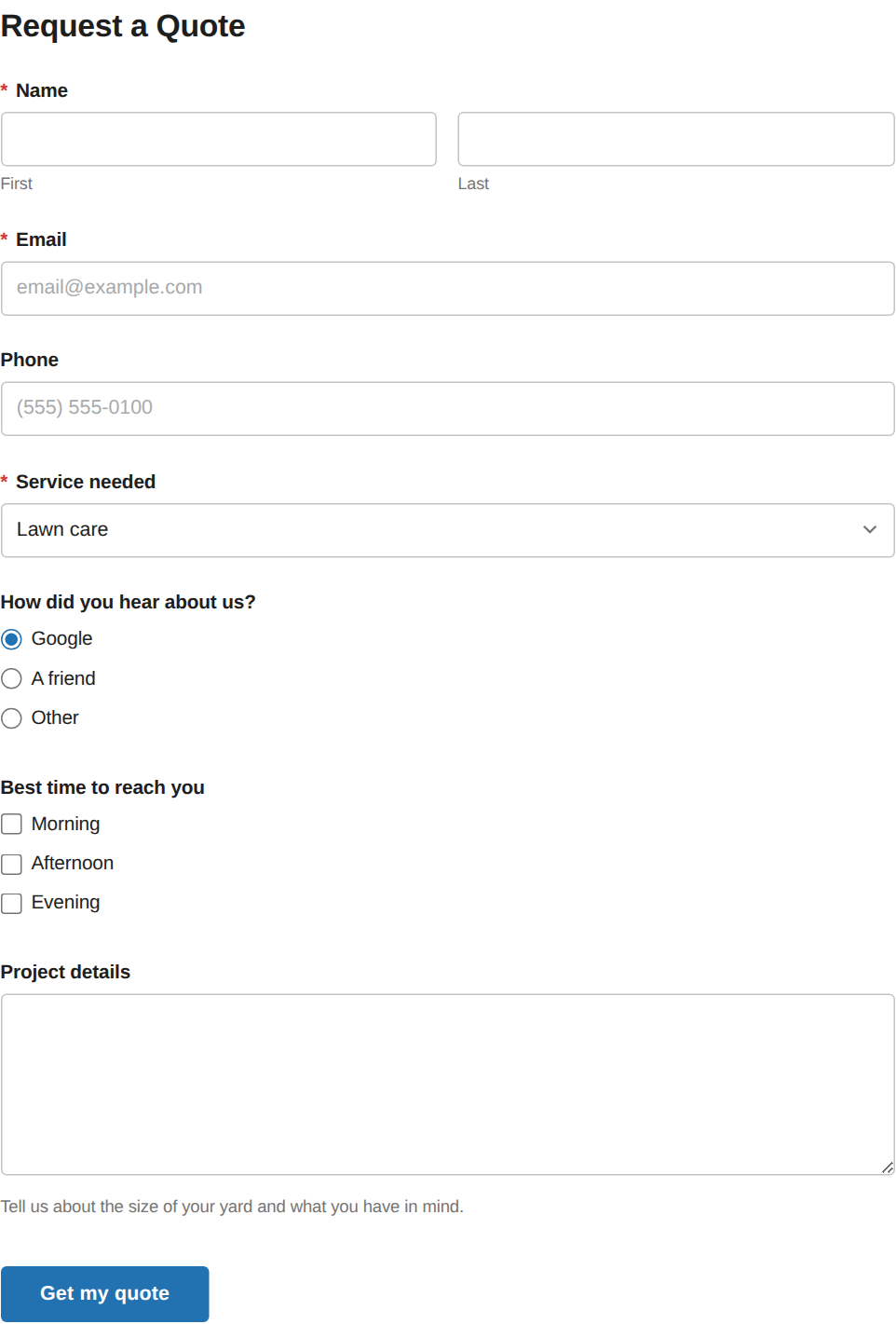
Edit the page with your form, replace the WPForms block with the Custom Contact Forms block, and choose your imported form. Or paste the new shortcode from the import report.
Step 4: Send a test entry
Fill in the form yourself. You’ll get the notification email as before, and this time the entry is also saved under Forms. Once you’re happy, you can deactivate WPForms.
What about old entries? WPForms Lite never stored them in WordPress, so there’s nothing to move. Your past submissions are still in your email inbox.
When you need more
Most sites never need more than the free plugin. If you later want payments, multi-page forms or more email marketing services, Custom Contact Forms Pro adds them on top of the forms you already have, for $80 a year on unlimited sites you own.
Taking payments in WPForms Lite?
Lite adds 3% to every payment. Custom Contact Forms Pro takes Stripe and PayPal payments with no added fee, for a flat $80 a year.
Frequently asked questions
Is Custom Contact Forms really free?
Yes. It’s free on WordPress.org, with no entry limits and no fees. Pro is an optional add-on for payments and other advanced features.
Can I import my WPForms forms?
Yes. Go to Forms → Import and choose your WPForms forms. Fields, choices, the notification email and the thank-you message come across, and the import report lists anything that needs a look.
Can I keep WPForms installed while I try it?
Yes. Both plugins can run side by side, and importing doesn’t change your WPForms forms. Swap the form on your page when you’re ready.
Does WPForms Lite have conditional logic?
No. Conditional logic needs a paid WPForms license. In Custom Contact Forms it’s included free.
Can I try Custom Contact Forms before installing it?
Yes. Click Preview on the plugin’s WordPress.org page to open a demo site with sample forms and entries.
Is Custom Contact Forms still maintained?
Yes. It gets regular updates with new features, and you can see every release in the changelog on WordPress.org.
Keep every entry, free. Download Custom Contact Forms from WordPress.org, import your WPForms forms, and get saved entries, conditional logic, file uploads and Mailchimp without upgrading.
Free on WordPress.org
Never lose another form entry
Custom Contact Forms saves every entry on your site and includes conditional logic, file uploads, a signature field, Mailchimp, webhooks and spam protection, all free.
Get our new form guides by email
Practical guides on forms, email delivery and spam, plus news when Custom Contact Forms gets new features.
We only use your email to send our guides and news. Unsubscribe anytime. Privacy Policy