
Our last two updates, Custom Contact Forms 7.18 and 7.19, add a lot to the free plugin: Mailchimp signup forms, webhooks for Zapier, Make and n8n, a spam folder you can check, hCaptcha, a weekly summary email, and our latest guides right on your dashboard. If you set up your forms once and haven’t looked around since, here’s what’s new in Custom Contact Forms and how to turn each feature on.
Everything in this post is free and included in the plugin on WordPress.org. To get it, go to Dashboard → Updates in WordPress, or turn on automatic updates for Custom Contact Forms under Plugins.
What’s new in Custom Contact Forms 7.18
Free Mailchimp signup forms
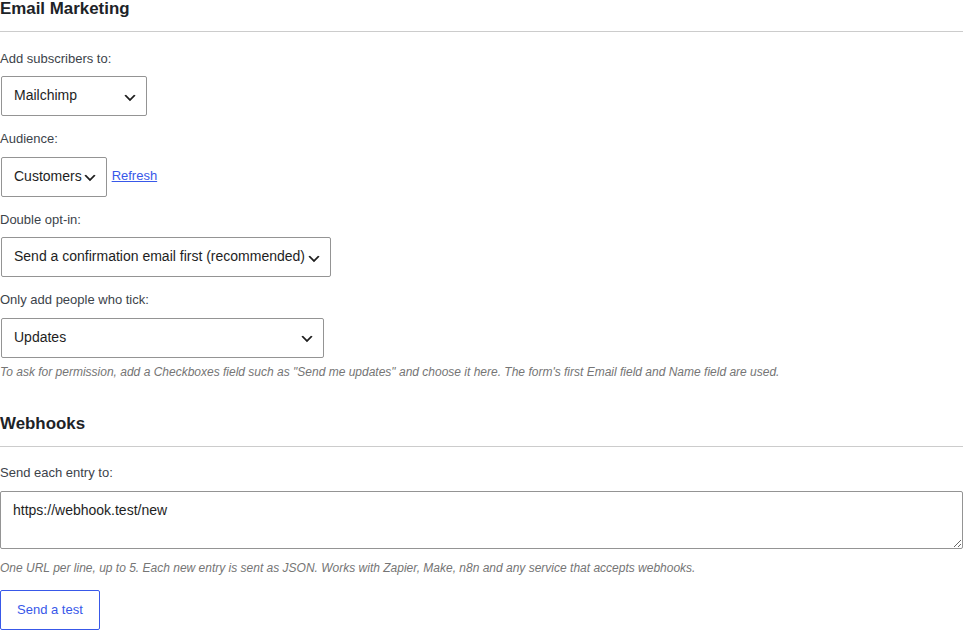
Add people who fill in a form to a Mailchimp audience, chosen per form. A contact form, a quote request or a dedicated newsletter signup can all grow your list. Connect your Mailchimp account under Forms → Integrations, then open any form, go to Form Settings, and pick an audience under Email Marketing.
You can send a confirmation email first (double opt-in), and only add people who tick a checkbox such as “Send me updates.” That keeps your list clean and permission-based.
Webhooks for Zapier, Make and n8n
Webhooks send every new entry as JSON to any URL you choose, which connects your forms to thousands of apps through Zapier, Make or n8n. Add a row to a Google Sheet, post to Slack, or create a contact in your CRM. Paste up to five URLs under Form Settings → Webhooks and click Send a test to make sure it works before a real entry comes in.
Akismet with a spam folder you can check
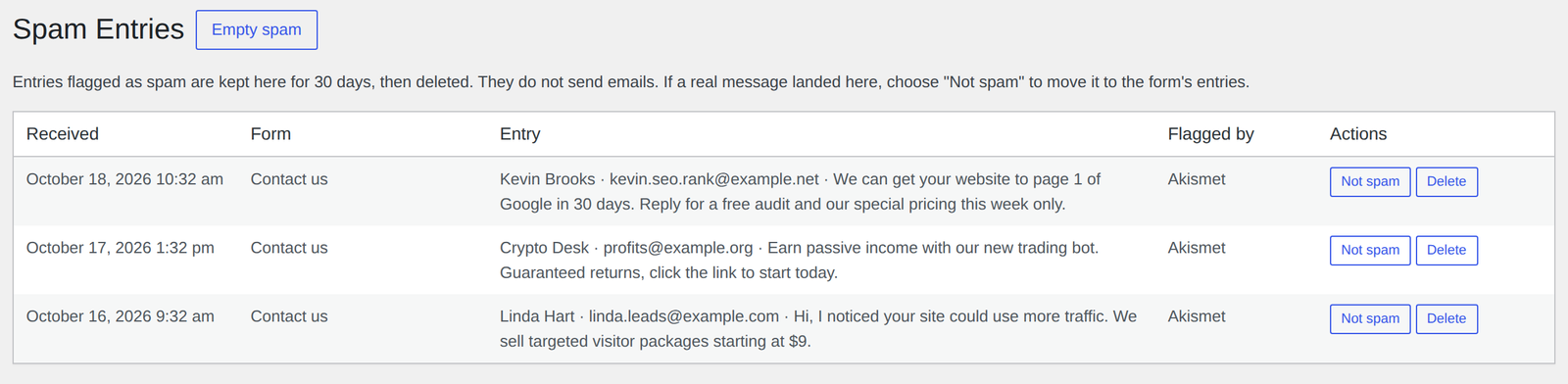
If you already use the Akismet plugin, turn on Akismet checks for your forms. Entries Akismet flags don’t send you an email and don’t clutter your submissions. Instead they go to Forms → Spam, where you can look them over. If a real message ever lands there, click Not spam to move it back. Spam is deleted automatically after 30 days.
hCaptcha, alongside Turnstile and reCAPTCHA
You now have three choices for stopping bots: Cloudflare Turnstile, hCaptcha and Google reCAPTCHA, all free. If you’re not sure which to pick, start with Turnstile. It blocks bots without making your visitors solve puzzles.
One page for every integration
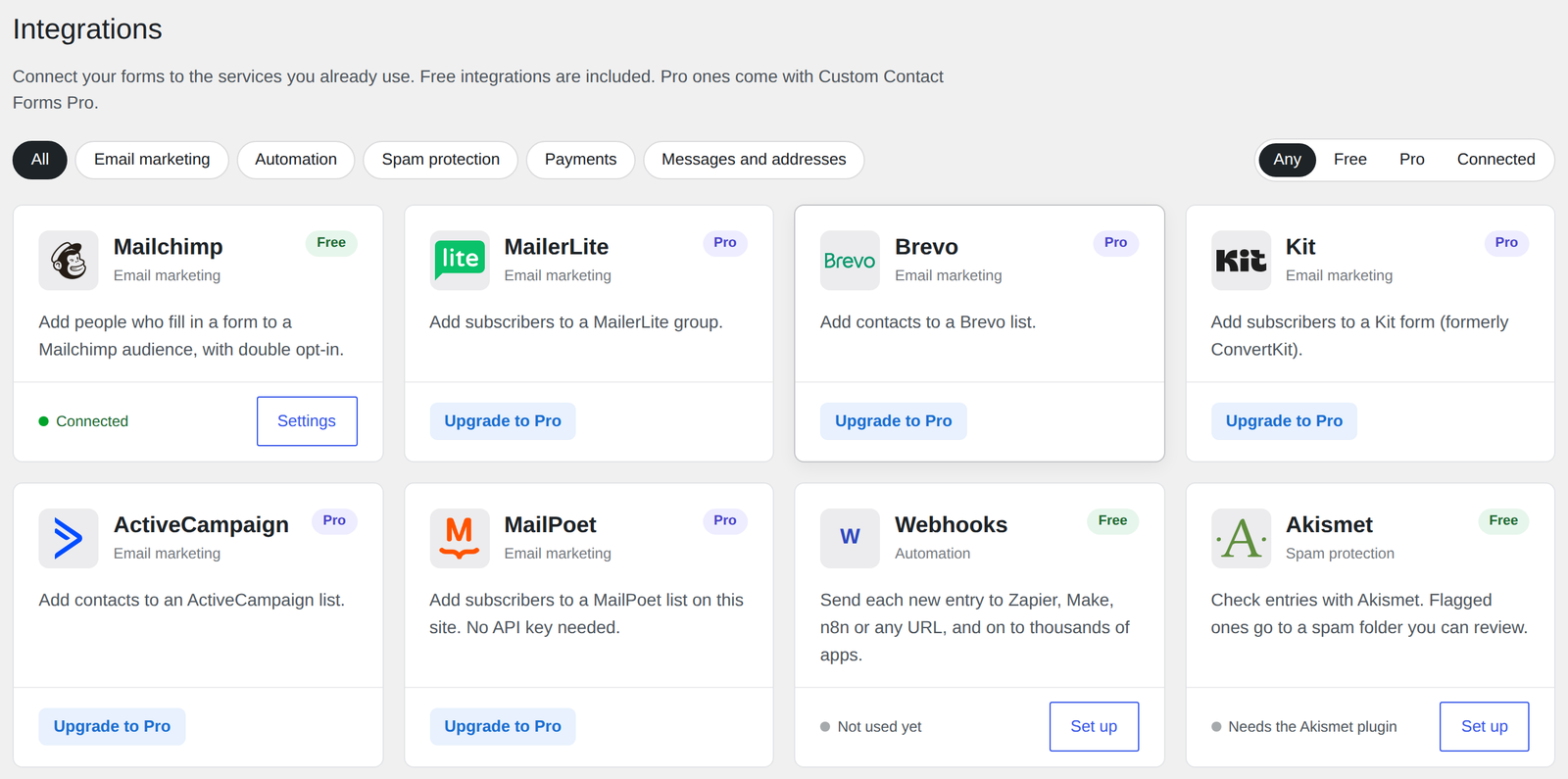
Forms → Integrations shows every service Custom Contact Forms works with on one page, with a clear label on each: what’s free, what needs Pro, and what’s already connected. Mailchimp, Akismet, hCaptcha and Cloudflare Turnstile are all set up from here. If a subscriber or webhook ever fails to go through, the Recent problems list at the bottom tells you why.
A weekly summary every Monday
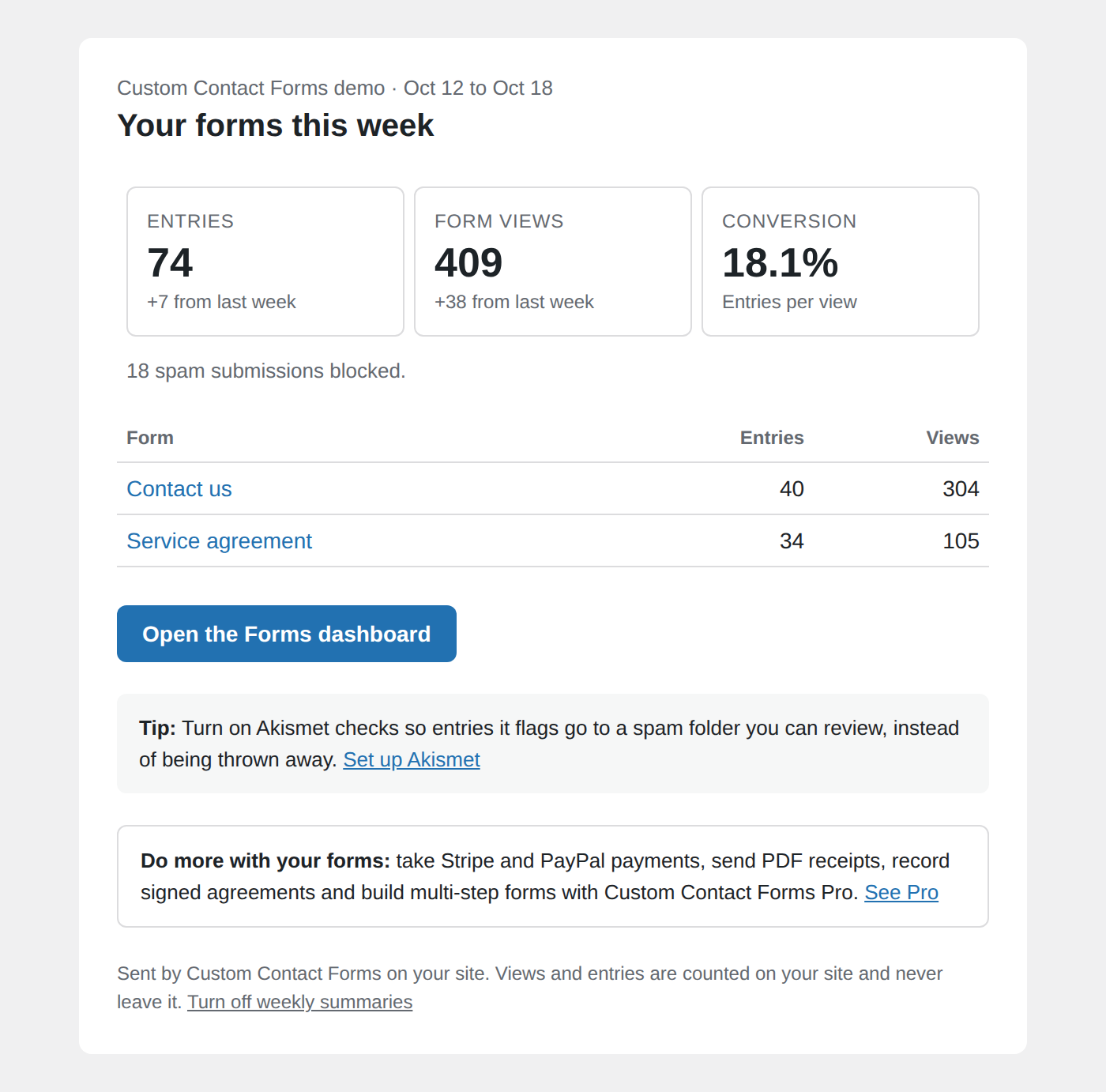
Every Monday, Custom Contact Forms emails you the past week’s entries, form views and blocked spam for each form, so you can see what’s working without logging in. Since 7.19, each summary’s tip is about a free feature you can try right away. It’s on by default. To turn it off or change who receives it, go to Forms → Settings, or use the link at the bottom of any summary.
Also new in 7.19
Our latest guides, right on your dashboard
We write practical guides on forms, email delivery and spam, and now you don’t have to come looking for them. The Custom Contact Forms widget on your WordPress Dashboard and the Forms dashboard both show our three latest posts.
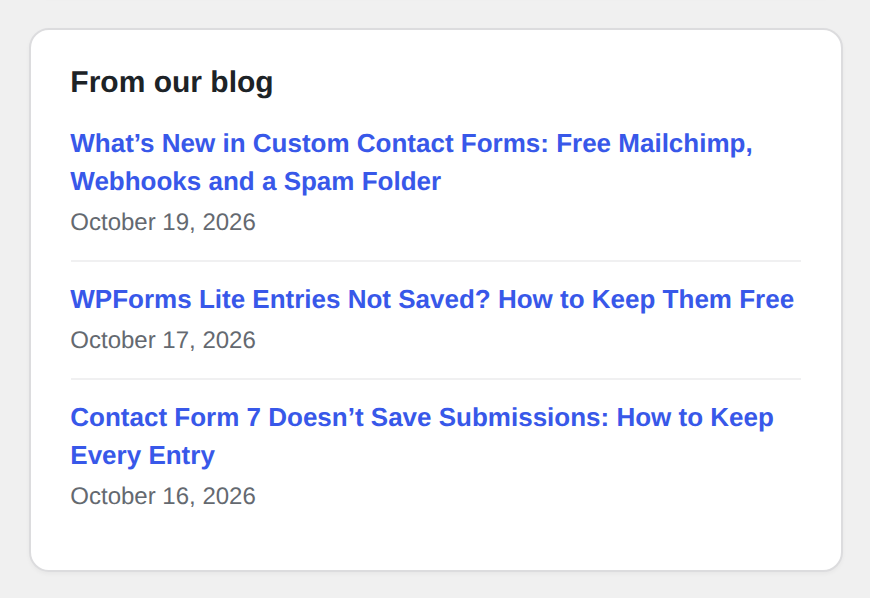
Your site reads our public blog feed at most once every 12 hours and keeps a copy, and the posts load after the page does, so your dashboard stays fast. Only titles, links and dates are shown, and no form entries, user details or visitor data are sent. On the WordPress Dashboard, you can hide the widget under Screen Options.
Form tips and release news by email (optional)
You can now sign up for occasional emails from us with practical form tips and a heads-up when new features ship. The signup appears once as a card at the top of your Forms dashboard, and once in the form builder. Nothing is sent unless you click Subscribe, and the card tells you exactly what is sent. Choosing No thanks is remembered on your site only and contacts no one. You can subscribe later from Forms → Settings.

Fixes and small improvements
- WPForms imports keep the thank-you message. Forms moved over from current versions of WPForms under Forms → Import now bring their confirmation message with them, instead of falling back to “Thank you for your submission.” If you imported a WPForms form earlier, check its completion message under Form Settings. Still on WPForms Lite? Read why WPForms Lite doesn’t save your entries.
- A more useful email tip. The note under a form’s email notifications now points to Forms → Settings → Email Diagnostics to send a test email, and to the SMTP plugins on WordPress.org if that test fails. Our guide covers what to do when your WordPress contact form is not sending email.
Want payments, receipts and multi-step forms?
Everything above is free. When your forms need to do more, Custom Contact Forms Pro adds:
- Payments on your forms with Stripe (cards, Apple Pay and Google Pay) or PayPal, with no store or cart. See how to set up a payment form without WooCommerce.
- PDF receipts and agreements: a PDF receipt attached to the notification email for every payment, and any entry, signature included, saved as a PDF in one click.
- Multi-step forms with a progress bar, for long forms that get more replies when split up.
- More email services: MailerLite, Brevo, Kit, ActiveCampaign and MailPoet, plus Twilio text messages and address autocomplete.
Compare everything side by side on our Free vs Pro page.
Frequently asked questions
Will updating change my forms or entries?
No. Your forms, settings and saved entries stay exactly as they are. New features like Mailchimp, webhooks and Akismet checks stay off until you turn them on.
Does Custom Contact Forms send any data without asking?
Your entries stay on your site, apart from the notification emails you set up and any service you connect yourself, such as Mailchimp or a webhook. The tips signup sends nothing unless you click Subscribe. The blog panel reads our public feed from your server and shows titles and links only. Every outside service the plugin can use is listed in the readme on WordPress.org.
I don’t see the new features. What should I check?
Go to Plugins and check that Custom Contact Forms shows version 7.19.0. If it doesn’t, update it from Dashboard → Updates. The signup card only appears for administrators, and it disappears once you subscribe or choose No thanks.
New to Custom Contact Forms? Download it free from WordPress.org and get saved entries, Mailchimp, webhooks, spam protection and a forms dashboard, with nothing to pay.
Free on WordPress.org
Never lose another form entry
Custom Contact Forms saves every entry on your site and includes conditional logic, file uploads, a signature field, Mailchimp, webhooks and spam protection, all free.
Get our new form guides by email
Practical guides on forms, email delivery and spam, plus news when Custom Contact Forms gets new features.
We only use your email to send our guides and news. Unsubscribe anytime. Privacy Policy